

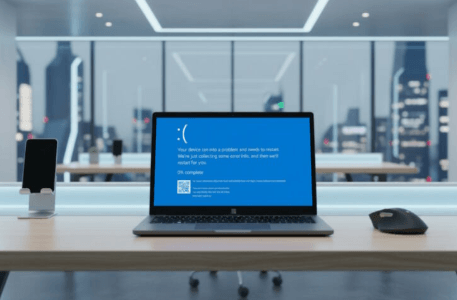
Discover how session reboot and reconnect features help IT teams resolve technical issues quickly and efficiently for uninterrupted business operations.
Understanding Session Reboot and Reconnect
Session reboot and reconnect features are essential for remote support and IT management. These tools allow technicians to restart a user’s session or device and promptly reconnect to continue troubleshooting, minimizing downtime and disruption.
In the world of IT support, speed and reliability are critical. When a user encounters a problem such as a frozen application, network glitch, or system crash, a session reboot allows the IT team to initiate a restart remotely. The reconnect feature then enables them to re-access the session without requiring the user to provide new credentials or intervention. This seamless process is especially important in large organizations where IT staff often support users across different locations and time zones.
Remote session management is not only about convenience, but also about efficiency. With these capabilities, IT departments reduce the need for on-site visits, which can be costly and time-consuming. As more organizations transition to remote and hybrid work environments, having robust session reboot and reconnect features has become a necessity rather than a luxury.
How Remote Desktop Tools Simplify Troubleshooting
Modern remote desktop tools offers remote reboot and reconnect capabilities, making it easier for IT professionals to fix problems without physical access. This streamlines the support process and ensures that users experience minimal interruptions during system maintenance. According to the U.S. General Services Administration, remote desktop solutions have become a standard in government and enterprise environments due to their efficiency in resolving technical issues.
For organizations supporting hundreds or thousands of endpoints, scalable troubleshooting is essential. Remote desktop tools with reboot and reconnect features allow IT staff to handle multiple support requests simultaneously. This reduces the time spent on each ticket and helps prevent backlogs.
In healthcare and education, where system uptime is critical, these features help avoid disruption of essential services. For instance, in hospitals, a doctor’s access to patient records must be restored quickly after a technical issue. The ability to reboot and reconnect remotely ensures that vital operations continue with minimal delay. The U.S. Department of Health and Human Services highlights the importance of secure and reliable remote access in healthcare settings.
Remote troubleshooting also supports software updates and patch management. Instead of waiting for users to be available in person, IT teams can remotely reboot devices after updates and reconnect to verify successful installation. This proactive approach keeps systems secure and up to date.
The Impact on Productivity and Business Continuity
When devices or sessions freeze, traditional troubleshooting can be slow. With session reboot and reconnect features, IT teams can act quickly, which is vital for maintaining productivity. As highlighted by the National Institute of Standards and Technology, quick response is crucial for reducing the impact of technical incidents.
Business continuity depends on minimizing downtime. Every minute lost to technical problems can mean lost revenue, missed deadlines, or interrupted customer service. Remote session management tools help companies avoid these setbacks by enabling rapid intervention.
For example, in financial services, a trading system crash can have significant financial consequences. Immediate reboot and reconnect capabilities allow IT teams to restore service before major losses occur. Similarly, in retail, point-of-sale systems must remain operational to avoid lost sales. The ability to resolve issues remotely ensures that business processes continue smoothly, even when technical problems arise.
Regular monitoring and proactive maintenance also benefit from these features. IT teams can schedule periodic reboots during off-hours and reconnect to verify that systems are functioning correctly. This approach prevents problems before they affect end users, supporting a stable and reliable IT environment.
Improving User Experience with Fast Issue Resolution
End users expect fast solutions when technical problems arise. The ability to reboot and reconnect sessions instantly means less waiting time and frustration. This approach supports a positive user experience and helps maintain trust in IT support processes. Industry experts at TechRepublic note that streamlined remote support is a key factor in employee satisfaction.
When users experience delays in getting help, productivity suffers and morale declines. By using session reboot and reconnect features, IT teams show responsiveness and technical competence. This builds confidence among staff and encourages them to seek help when needed, rather than trying to fix issues on their own and risking further complications.
In education, students and teachers benefit from fast technical support during online classes. Quick remote intervention ensures that learning is not interrupted by minor technical glitches. In customer-facing roles, employees can get back to serving clients sooner, supporting the overall business reputation.
Providing clear communication during the troubleshooting process also improves user experience. Letting users know when a reboot will occur and what to expect afterward helps manage expectations and reduce anxiety about the process.
Security Considerations for Remote Session Management
While session reboot and reconnect features boost efficiency, they must be implemented with security in mind. Access controls and encryption are important to prevent unauthorized use. IT teams should follow best practices and compliance standards to protect sensitive data during remote operations.
Strong authentication methods, such as multi-factor authentication, help ensure that only authorized personnel can access remote session management tools. Encryption of data in transit and at rest protects against interception and data breaches.
Organizations should regularly review access logs and audit trails to detect any suspicious activity. Limiting the number of users with administrative privileges reduces the risk of misuse. The Center for Internet Security provides guidelines on securing remote access solutions.
Additionally, IT departments should keep remote support software updated to address security vulnerabilities. Regular training on security policies ensures that all staff understand their responsibilities when using remote reboot and reconnect features.
Best Practices for Using Reboot and Reconnect Features
To make the most of these features, IT staff should communicate with users before initiating a reboot, document actions taken, and monitor systems after reconnecting. Training and clear policies help ensure that remote support is both effective and secure.
Before performing a session reboot, IT teams should notify the user about the planned action and expected downtime. This minimizes disruption and gives users a chance to save their work. After the reboot, a follow-up message confirms that the issue is resolved or provides further instructions if needed.
Documentation is essential for accountability and continuous improvement. Recording each support session helps track recurring problems and identify areas for improvement in IT processes. It also supports compliance with industry regulations.
Regular training sessions keep IT staff updated on the latest best practices and security requirements. Clear, written policies help standardize procedures across the organization, reducing the risk of errors or unauthorized actions.
Finally, organizations should periodically review their remote support tools and processes to ensure they meet evolving business needs and security standards. Gathering feedback from users helps identify ways to improve the support experience and address any concerns.
See also: How Technology Is Revolutionizing Healthcare
Session Reboot and Reconnect in Different Industries
The benefits of session reboot and reconnect features are evident across many industries, from healthcare and finance to education and manufacturing. Each sector faces unique challenges, but all require reliable IT support to keep operations running.
In healthcare, secure and timely access to patient records and systems is critical. Remote session management allows IT teams to resolve issues quickly, supporting patient care and data privacy. In manufacturing, where automated systems control production lines, minimizing downtime is essential to meet deadlines and maintain quality. Remote reboot and reconnect capabilities help keep equipment online and efficient.
Educational institutions rely on technology for teaching, administration, and research. When technical issues arise, fast remote support helps maintain the flow of classes and access to resources. In retail, point-of-sale and inventory systems must be available at all times. Remote management tools support quick fixes and updates, reducing the risk of lost sales.
Even in smaller businesses, the ability to resolve IT issues remotely can save time and money. As organizations continue to adopt digital tools, session reboot and reconnect features will remain important for maintaining smooth operations.
The Future of Remote Session Management
As technology evolves, remote session management will continue to advance. Artificial intelligence and automation are beginning to play a role in identifying and resolving issues before they disrupt users. Predictive analytics can alert IT teams to potential problems, allowing them to act proactively.
Cloud-based remote support tools are becoming more common. These solutions offer greater flexibility and scalability, making it easier for organizations to support remote and hybrid workforces. Integrating session reboot and reconnect features with other IT management tools creates a unified platform for monitoring, troubleshooting, and maintaining systems.
Security will remain a top priority as threats become more sophisticated. Ongoing investment in secure remote access solutions, regular training, and adherence to industry standards will help organizations stay protected while delivering efficient support.
Ultimately, the goal is to provide seamless, reliable, and secure IT support that enables businesses to thrive in a digital world.
Conclusion
Session reboot and reconnect features are vital tools for IT teams to resolve technical issues quickly. By allowing instant restarts and seamless reconnections, these features support business continuity, improve user satisfaction, and keep operations running smoothly. Implementing these tools with strong security measures ensures both efficiency and protection for any organization.
FAQ
What is a session reboot feature?
A session reboot feature allows IT staff to remotely restart a user’s session or device to resolve issues without needing physical access.
How does the reconnect feature help in troubleshooting?
The reconnect feature lets IT staff quickly regain access to a user’s session after a reboot, allowing them to continue troubleshooting without delay.
Are session reboot and reconnect features secure?
When implemented with proper access controls and encryption, these features are secure and help prevent unauthorized access.
Can a remote reboot disrupt user work?
Remote reboot may momentarily interrupt a user’s work, but it is often necessary to resolve technical problems efficiently.
Do all remote desktop tools offer reboot and reconnect features?
Not all remote desktop tools have these features, so it’s important to choose a solution that meets your organization’s needs.