

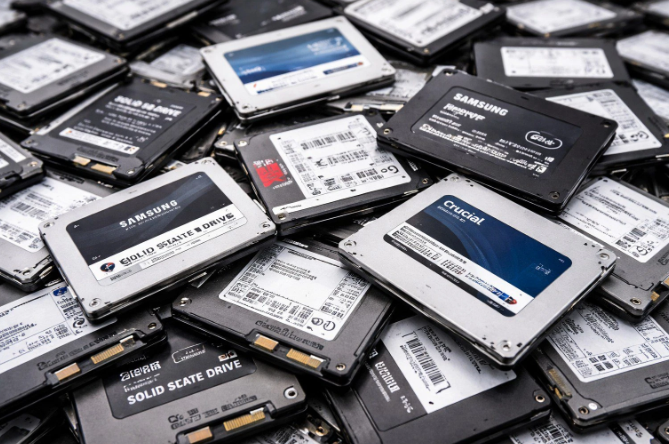
Selling off a batch of old office computers can feel like a small win, a bit of extra cash and one less thing cluttering the storage room. But before that laptop heads out the door to its next owner, it’s worth pausing to consider what’s still sitting on its drive. Reliable ssd destruction services close a gap that a quick factory reset simply doesn’t, protecting your business from a risk that’s easy to overlook in the excitement of clearing out old equipment.
Why Reselling Feels Safe, But Often Isn’t
A factory reset looks like a clean slate, the desktop wipes clean, old files disappear, and the device seems ready for its next owner. On a solid-state drive, though, that appearance can be misleading, since underlying data fragments can remain physically present on the drive even after a standard reset, recoverable with the right tools by someone who knows where to look.
This is precisely the kind of gap between how secure something looks and how secure it actually is that catches well-intentioned business owners off guard most often.
See also: Clovelly Court Hong KongMid-Levels Luxury Residential Guide
How Recovery Tools Make This More Than a Theoretical Risk
Data recovery software is widely available and doesn’t require specialized expertise to use effectively, which means the risk of a resold computer’s data resurfacing isn’t a far-fetched scenario reserved for sophisticated attackers. Anyone with a basic understanding of these tools and a bit of patience could potentially recover files from a drive that appears, on the surface, to have been properly cleared.
This accessibility is exactly why relying purely on software-based deletion feels increasingly inadequate compared to the definitive certainty that physical destruction provides for any drive that held genuinely sensitive business information.
What’s Actually at Risk on a Small Business Computer
Even a modest small business laptop can carry a surprising amount of sensitive information over its working life, saved passwords, customer contact details, financial spreadsheets, and email correspondence with vendors or clients. None of this needs to be intentionally saved to become a risk, much of it accumulates simply through normal daily use of the device.
The Gap Between Deletion and Destruction
Deleting a file removes its reference in the operating system’s index, but the underlying data often remains until it’s overwritten, something that doesn’t always happen reliably on modern SSDs due to how they manage data internally. Physical destruction removes this uncertainty entirely, since a properly shredded or crushed drive simply can’t be reconstructed, regardless of how sophisticated the recovery attempt might be.
Balancing Resale Value Against Security
It’s reasonable to want to recover some value from equipment you’re retiring, and destruction doesn’t have to mean losing that entirely. Many providers can remove and destroy just the drive while allowing the rest of the machine, the case, screen, and other components, to be resold or refurbished, letting you recover partial value without compromising on data security.
Documentation That Protects You Later
A reputable destruction service provides a certificate confirming exactly what was destroyed and when, which matters considerably if a question about your data handling practices ever comes up, whether from a client, a regulator, or simply your own peace of mind. Keeping these certificates on file costs nothing extra and provides real protection down the line.
Storing these certificates alongside your other important business records, rather than in a scattered email folder easily forgotten, ensures they’re actually available the one time you might genuinely need to produce one.
Building This Into Your Equipment Refresh Routine
Rather than treating destruction as an occasional afterthought, building it directly into whatever process you already use for retiring old equipment keeps the habit consistent. A simple checklist item, confirm data destruction before any device leaves the building, is a small addition that closes a meaningful gap in most small business operations.
What This Looks Like in Practice
For a business retiring a handful of laptops, this might mean a quick pickup or drop-off with a local provider who handles the destruction and provides documentation within a few days. It doesn’t require a dedicated IT security team or an elaborate internal process, just a consistent habit of treating data destruction as a standard step rather than an optional extra.
Even a business owner handling this personally, without any dedicated IT support at all, can manage the process in under an hour once a reliable local provider has been identified and added to the routine.
Final Thoughts
Reselling old computers is a perfectly reasonable way to recover some value from retired equipment, but it shouldn’t happen without confidence that the data once stored on that device is genuinely gone. A small, consistent investment in proper drive destruction protects your business, your customers, and your own reputation, well beyond the modest cost of the service itself.